Use LunaTranslator with Models Hub: LLM Interface Setup
Add an LLM interface in LunaTranslator pointed at Models Hub, enter the API URL and key, and translate visual novels on your Models Hub balance, with recommended models and error fixes.
LunaTranslator is a free, open-source visual novel (GalGame) translator that extracts game text via HOOK and supports many translation engines. It has a built-in "Generic LLM Interface" that connects to any OpenAI-compatible translation service; point it at Models Hub and in-game text translation draws on your Models Hub balance. This page covers only the connection step — see the official documentation for HOOK, OCR, and other features.
Three things you need
A Models Hub API key, the endpoint https://modelsok.com/v1, and a model name.
Prerequisites
- LunaTranslator installed. See the official documentation - Download, Launch & Update. Project page: GitHub.
- A Models Hub API key from the Tokens page, in a group that can access the models you want.
Recommended models
Game text translation requests are frequent and add up quickly, so model choice directly affects cost — start with something cheap and fast; switch to a stronger model when you want better handling of context and character tone.
| Use case | Model | Pricing | Live status |
|---|---|---|---|
| Default for everyday game translation, fast | gpt-5.4-mini | Price | Availability and latency |
| Cheap and fast, alternative | claude-haiku-4-5 | Price | Availability and latency |
| Long sentences or complex context needing better fit | claude-sonnet-4-6 | Price | Availability and latency |
Model names are authoritative on the pricing page.
Setup
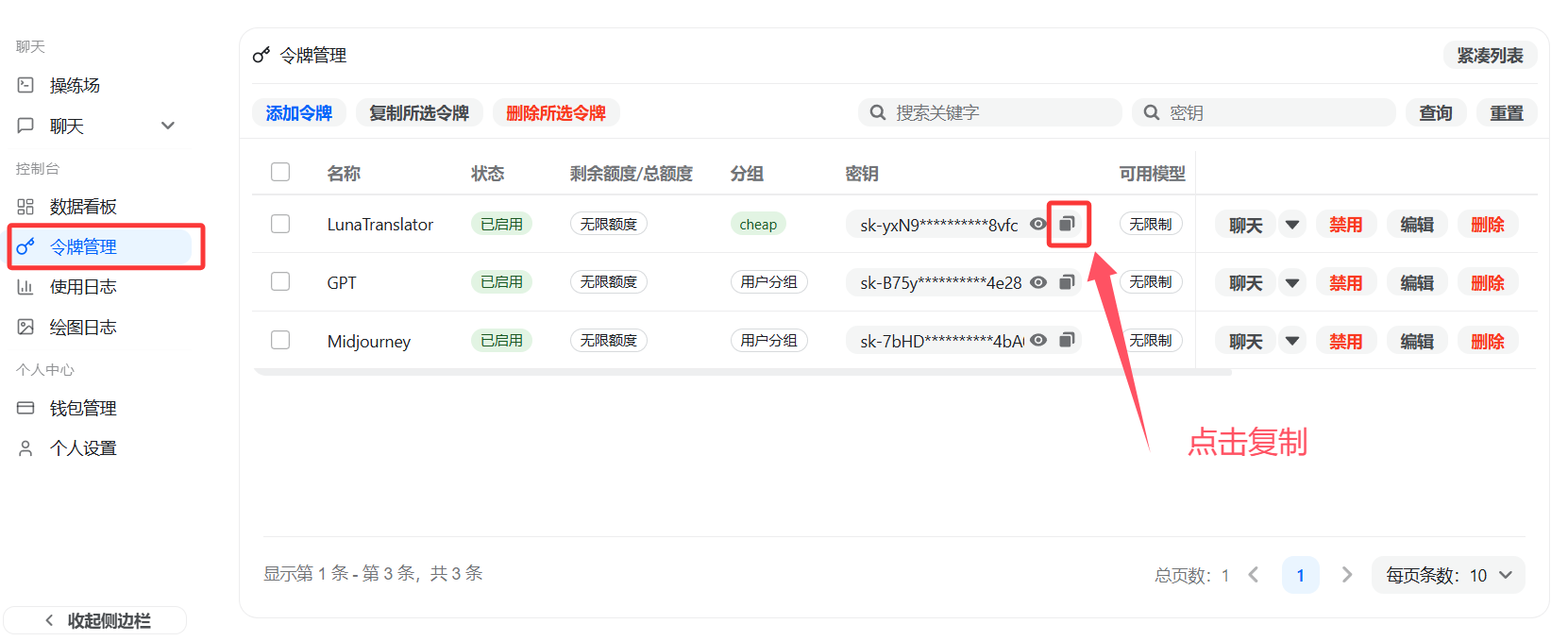
Option 1: One-click redirect from the Tokens page (if available)
Some Models Hub sites show a shortcut next to each token on the Tokens page that redirects to LunaTranslator and automatically fills in the API URL and key. Whether this shows up depends on a site-level setting — go by what you actually see, and use manual setup below if it's not there.
Option 2: Manual setup
-
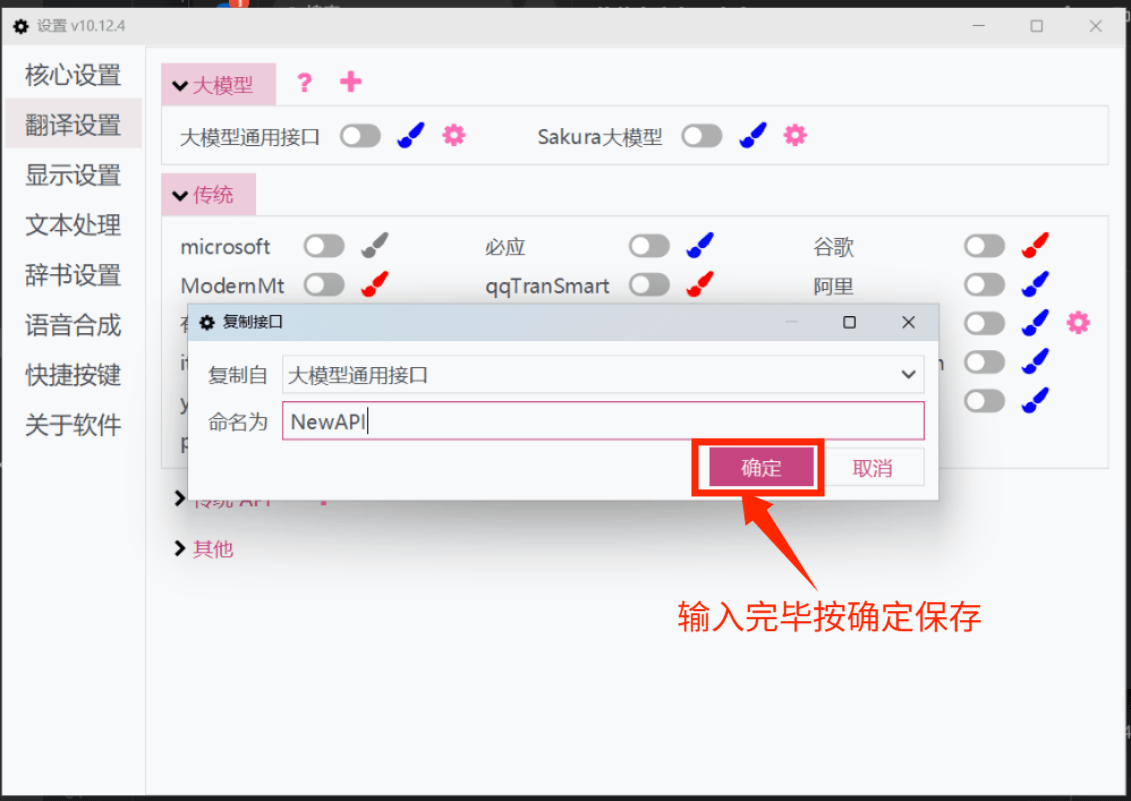
In LunaTranslator, go to Settings → Translation Settings → LLM and click "Add".
-
Copy the "Generic LLM Interface" template to add a new interface.
-
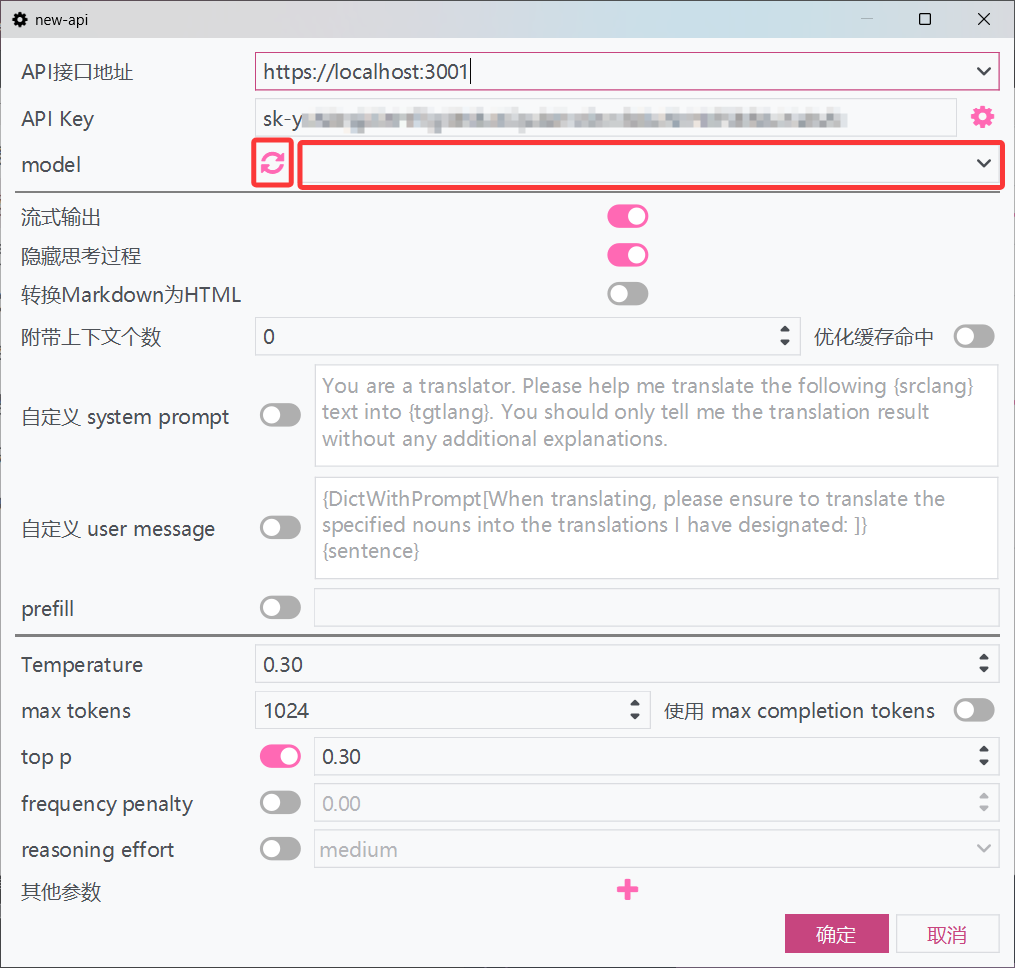
In the new interface, fill in:
Field What to enter API URL https://modelsok.com/v1API Key Your Models Hub API key 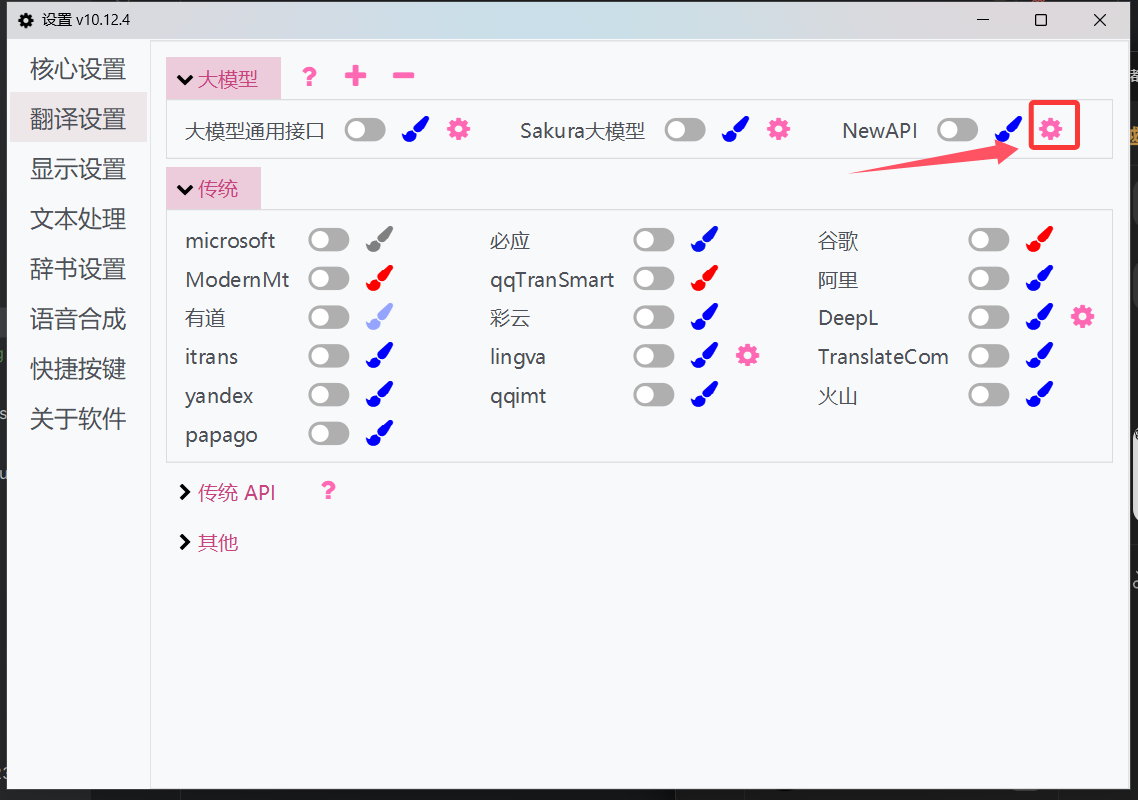
-
Click the refresh button next to the model dropdown to fetch the model list, select or type one of the recommended model names above, then click OK to save.
-
Make sure the toggle next to the new interface is on; if not, enable it.
Verify
Once enabled, trigger a HOOK translation in the game, or use the interface's test-translate option. Seeing a translated result means you're connected. Then check Usage logs in the Models Hub console; a request under that model name appears within seconds, confirming traffic went through Models Hub.
Common errors
| Symptom | Cause | Fix |
|---|---|---|
| Empty translation result or interface error | Wrong API URL, most often missing /v1 | Use https://modelsok.com/v1 |
Invalid key message / 401 | Incomplete key, or a disabled token | Re-copy from the Tokens page |
| Model dropdown refresh returns nothing | The API URL can't be reached, or the key is invalid | Double-check the URL and key, then refresh again |
| Model not found | Misspelled model name, or the token's group can't access it | Check the spelling on the pricing page |
| Configured but not used in-game | The toggle next to the new interface isn't on | Enable the toggle |
More in Troubleshooting, or see the LunaTranslator documentation - LLM Translation Interface.
FAQ
How is it billed? Per input and output token actually consumed per translation request, at the price on each model's pricing page. Game text is usually short, so per-line cost is low.
How is this different from using OpenAI's official endpoint directly? Same fields, just a different API URL. You don't need to sign up for an OpenAI account.
How do I switch models? Reopen the interface, refresh the model dropdown and pick another one, or type a different model name from the table.
Related
Use Immersive Translate with Models Hub: Custom AI Service Setup
Switch Immersive Translate's browser extension to a custom OpenAI service, enter your Models Hub URL and key, and translate web pages on your Models Hub balance, with verification and error fixes.
API Reference
Models Hub offers OpenAI / Anthropic / Gemini compatible model APIs plus management APIs for tokens, logs and more.