Use AstrBot with Models Hub: Model Provider Setup
Add an OpenAI model provider in AstrBot pointed at Models Hub, set it as the default chat model, and use it across QQ, Feishu, and more, with recommended models and error fixes.
AstrBot is an open-source, all-in-one agent chatbot platform that connects large model capabilities to mainstream messaging apps like QQ, Feishu, DingTalk, and WeCom. Its "Model Providers" support the standard OpenAI API; point a provider at Models Hub and every conversation flow configured in AstrBot draws on your Models Hub balance. This page covers only the connection step — see the official documentation for building bots.
Three things you need
A Models Hub API key, the endpoint https://modelsok.com/v1, and a model name.
Prerequisites
- AstrBot deployed with admin panel access. If not deployed yet, see the official documentation. Project page: GitHub.
- A Models Hub API key from the Tokens page, in a group that can access the models you want.
Recommended models
| Use case | Model | Pricing | Live status |
|---|---|---|---|
| First choice for everyday chat, a balance of speed and quality | claude-sonnet-4-6 | Price | Availability and latency |
| Complex reasoning and long context | gpt-5.5 | Price | Availability and latency |
| Cheap and fast, good for high-frequency group chat | gpt-5.4-mini | Price | Availability and latency |
Model names are authoritative on the pricing page.
Setup
-
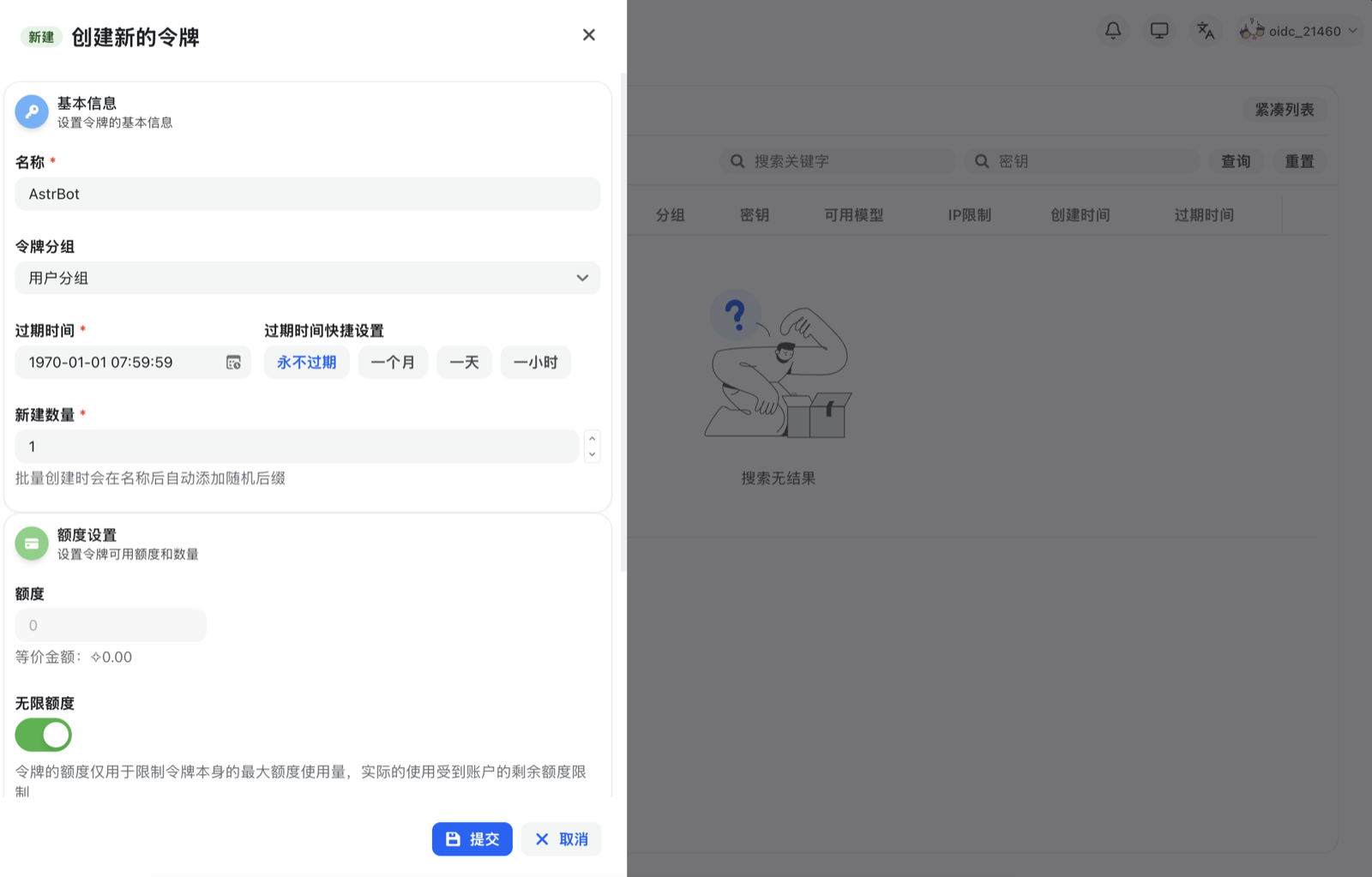
Sign in to Models Hub, click "Console" at the top, then "Token Management" → "Add Token" to create a new API key. Select the appropriate permissions and click "Create".
-
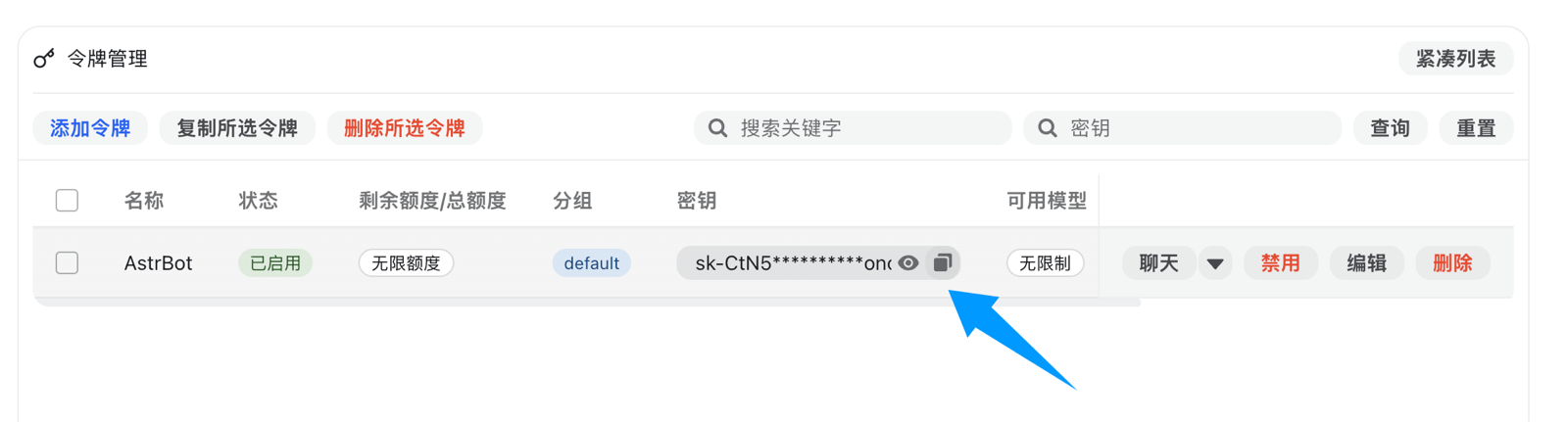
Once created, click the copy button to copy the generated API key.
-
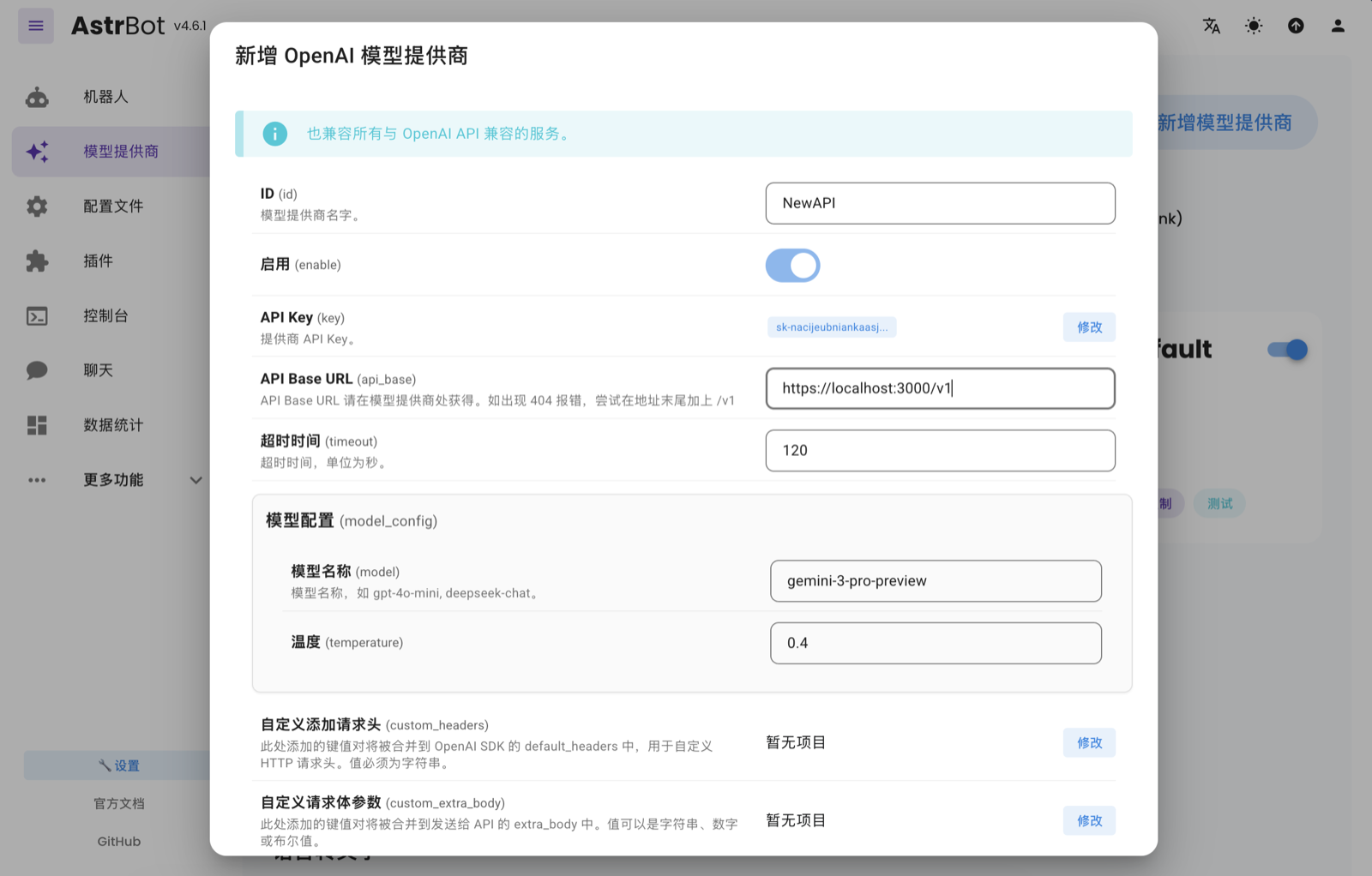
Open the AstrBot admin panel, go to "Model Providers", click "Add Model Provider", and choose OpenAI (AstrBot supports both the OpenAI Chat Completion and Responses APIs; Models Hub connects through this path).
-
In the dialog, fill in:
Field What to enter API Base URL https://modelsok.com/v1(for a local Models Hub deployment, use the local address, e.g.http://localhost:3000/v1)API Key The Models Hub API key you just copied Model name One of the model names from the table above Click "Save" when done.
-
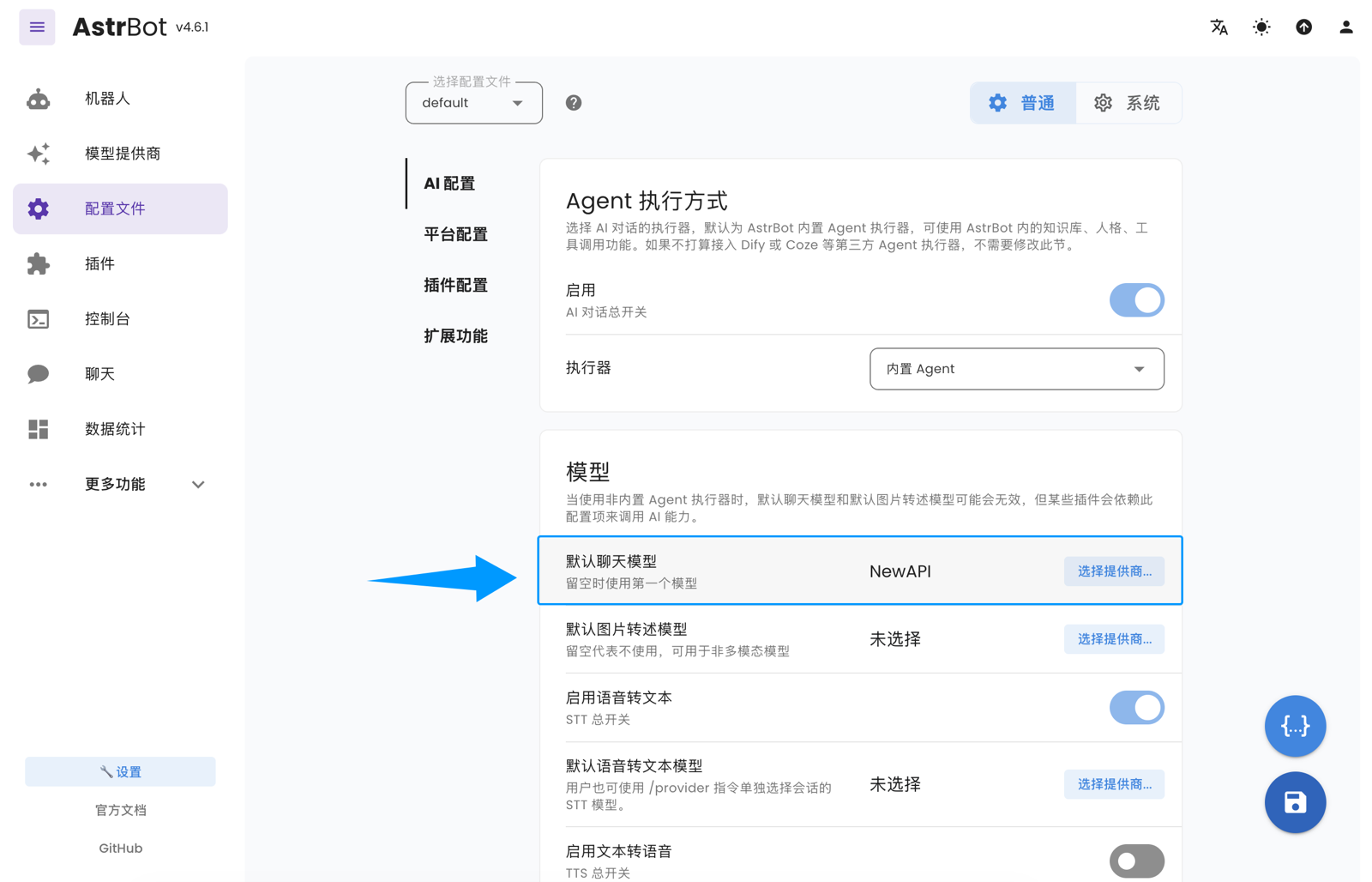
Go to "Configuration File", find the model section, change "Default Chat Model" to the provider you just created, and click "Save".
Verify
Send "hello" in the AstrBot admin panel's debug chat, or through a bound platform like QQ or Feishu. A normal reply means you're connected. Then check Usage logs in the Models Hub console; a request under that model name appears within seconds, confirming traffic went through Models Hub.
Common errors
| Symptom | Cause | Fix |
|---|---|---|
| Connection failure when saving the provider | Wrong API Base URL, or a local deployment used a public address (or vice versa) | Use https://modelsok.com/v1 for a third-party site; use a reachable local address for local deployments |
401 / Invalid API key | Incomplete key, or a disabled token | Re-copy from the Tokens page |
| Model not found in chat | Misspelled model name, or the token's group can't access it | Check the spelling on the pricing page |
Slow replies or 429 | Rate limiting, usually from high concurrency | Retry later; contact support for a higher limit if this persists |
| Nothing shows in usage logs | "Default Chat Model" wasn't switched to the new provider | Go back to "Configuration File" and confirm the default chat model is the Models Hub provider |
More in Troubleshooting.
FAQ
How is it billed? Per input and output token actually consumed in each conversation, at the price on each model's pricing page. Usage logs itemize every request.
How is this different from using OpenAI's official endpoint directly? Same request format; only the base URL changes, and one key can switch between Claude, GPT, and other models under the same provider.
How do I switch models? Edit the OpenAI provider you configured and change the model name, or add another provider and switch the default chat model on the "Configuration File" page.
Related
Use Memoh with Models Hub: Add a Model Provider
Add the NewAPI provider in Memoh's web admin panel pointed at Models Hub, set a bot's default chat model, with recommended models and error fixes.
Use LangBot with Models Hub: Add a Model and Pipeline
Add a model in LangBot pointed at Models Hub, wire it into a pipeline, and use it across Feishu, DingTalk, WeChat, and QQ, with recommended models, embeddings, and error fixes.